
Breaks that wait for the right moment.
Pausebar protects your eyes, posture, and focus with calm screen breaks that arrive at a natural pause, with Smart Pause for detected calls and builds. Your work context stays on your Mac.
From heads-down to a real rest.
When a break is genuinely due, Pausebar eases your busy screen into a soft, full-screen pause — then quietly hands it back.
The break overlay — a soft, full-screen pause you actually take, instead of a notification you swipe away.
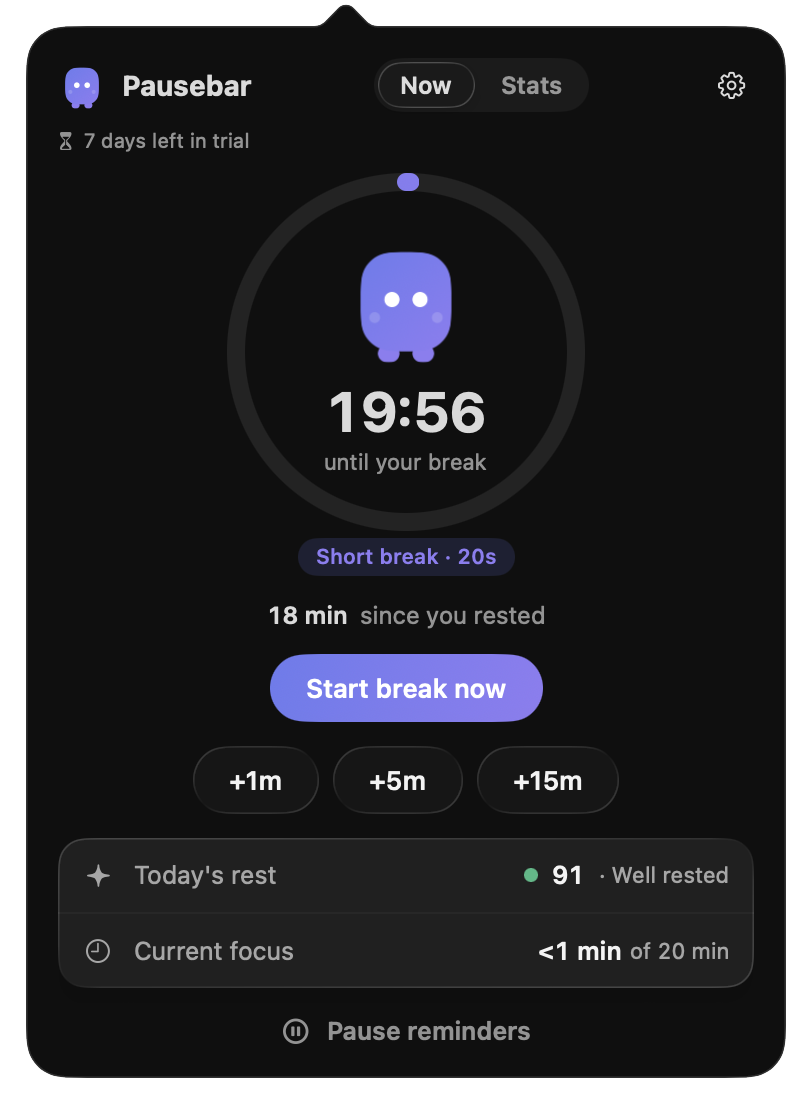
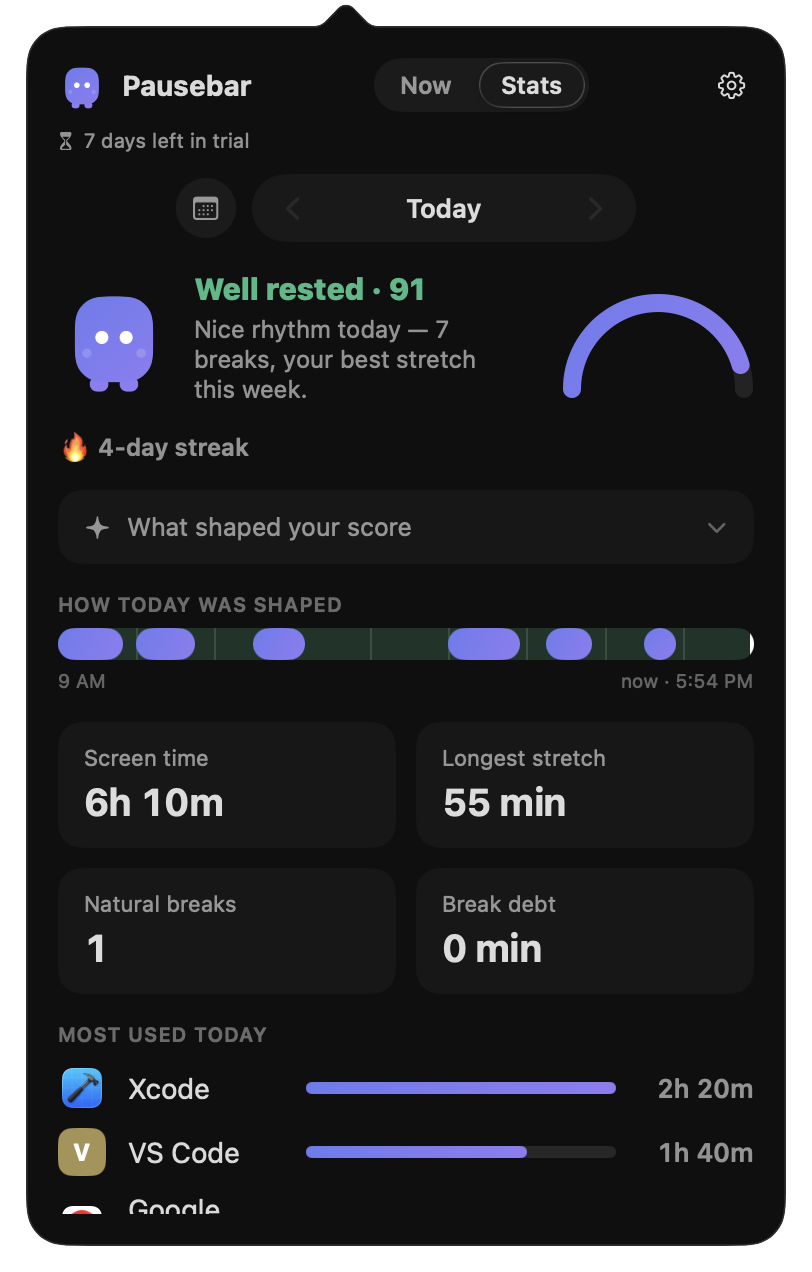
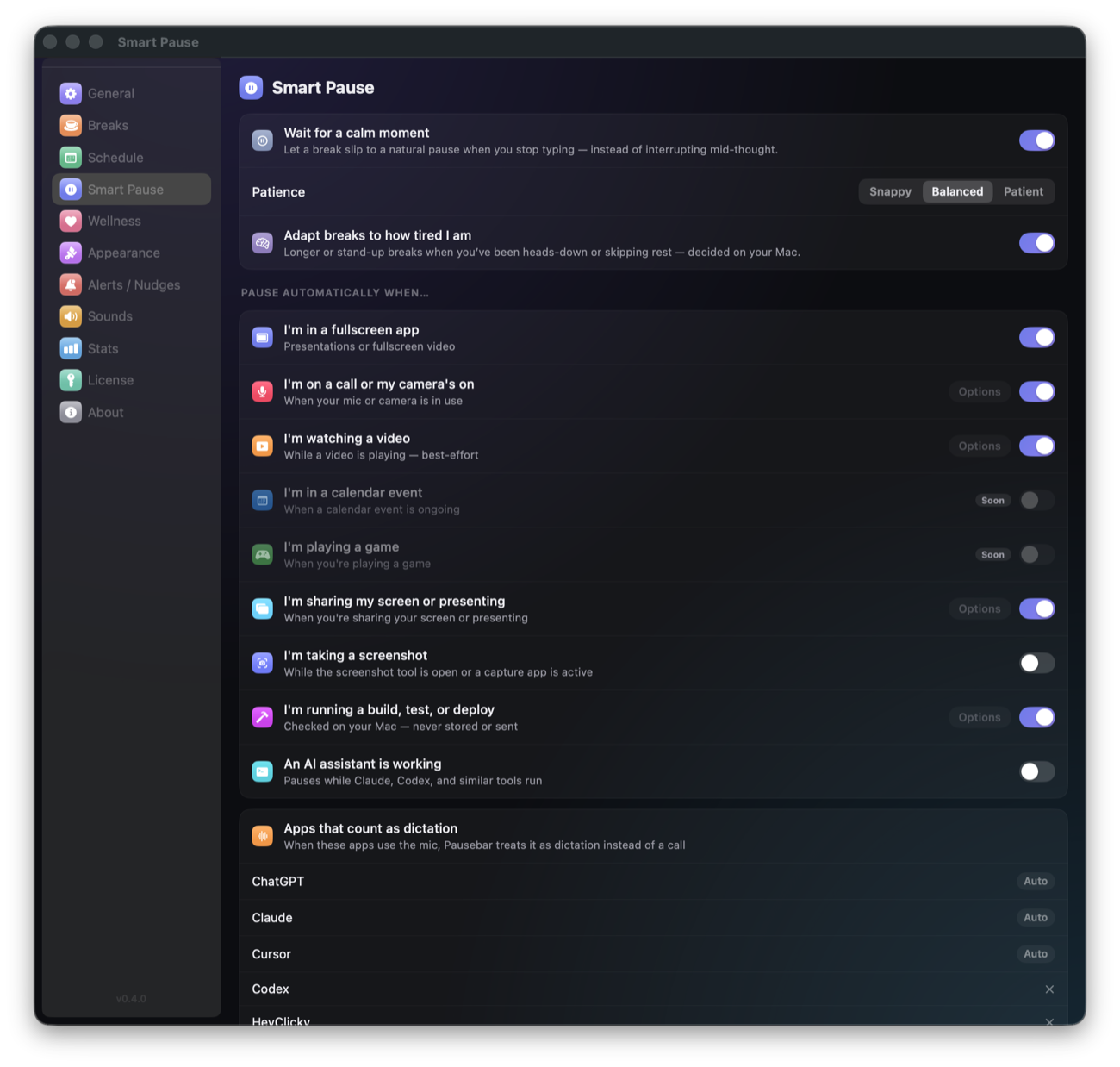
Quiet enough to keep using. Useful enough to feel.
Personal experiences shared by early users after several weeks with Pausebar.
“The reminders are very discreet. I love that the app senses when to interrupt me and when not to.”
“My eyes are in much better condition in the evening. They don’t sting, my vision doesn’t blur, and I don’t have to enlarge the font.”
“My eyes are less strained, I don’t tire as easily, and I’m more focused. I now use Pausebar daily.”
 Claude
 Cursor
 Codex
Codex Xcode
Xcode Terminal
 Chrome
Smart enough to wait. Calm enough to help.
Most break timers count minutes. Pausebar reads the moment — using small, local macOS signals, never your content.
It gives you a heads-up.
A due break holds while you’re typing, then slips in at the next natural pause with a gentle heads-up, using enabled signals to avoid busy moments. And when you run long past a break, the next rest quietly tops itself up.
How it knows when not to interrupt
On a call, presenting, sharing your screen, watching a video — Pausebar checks small yes/no system facts and stays quiet. Never the audio, never the contents.
It knows the difference between scrolling and shipping.
Opt in, and Pausebar holds a break while a build, test, deploy, or AI-agent run is churning — then eases it back in the moment the run finishes. Curated patterns know next build from next dev, and you add your own build and agent commands — you choose which.
From gentle nudge to firm boundary.
Dial the strictness to match how you actually behave, with honest snooze and skip limits — never a guilt trip. Then shape the rest: where reminders appear, how much warning you get, the final-seconds countdown pill, break backgrounds — even your own photo — and break messages in your own words.

An afternoon with Pausebar
A due break can wait for a better moment. Pausebar holds it through detected things that matter — then surfaces exactly once, when stepping away actually helps.
- Holds through typing, calls, fullscreen, video, screen-shares & builds
- A heads-up and floating countdown — a break is never a surprise
- Honest snooze & skip limits, so it stays effective
Small reminders — the same polite way.
Breaks carry the heavy lifting; tiny reminders handle the rest. Each one arrives as a gentle panel or notification, on the rhythm you set — never a siren.
- Posture and blink reminders, each on its own interval
- Write your own — water, stretch, medication, any message you’ll listen to
- Drag panel reminders where they suit you, or close one with a click
- Optional gentle screen-dim while a reminder is up, so your eyes get the hint
Tiny tasks, where you already look.
A small + by the notch. Type a task or a reminder, give it minutes, and a quiet countdown lives at the top of your screen until it’s done.
- Tasks and timed reminders, edited right in the notch tool
- Due mid-call or mid-build? Nudges respect Smart Pause and wait for a good moment — never forever
- One calm surface at a time — a nudge never stacks on a break

All day, Pausebar keeps watch
It correlates small local signals — input, calls, fullscreen, your own builds — decides whether now is a good moment, and stays silent until it is.
Signals, not content.
Small yes/no facts from macOS — mic active, window fullscreen — never your audio, your screen, or your keystrokes.
Honest limits, not guilt.
Snooze and skip stay available, within bounds you choose. No streak-shaming, no dark patterns, no lectures.
Nudges only when they help.
One quiet mark in your menu bar. It surfaces only when stepping away would genuinely do you good.

The quiet you can feel
Most break timers count minutes. Pausebar reads the moment.
A fixed-timer break app
- Fires mid-call, mid-demo, mid-thought — so you hit Skip
- Counts minutes since your last break, and nothing else
- Treats a running build or agent like idle time
- Streaks, guilt, and escalating nags to keep you “engaged”
- Accounts, sync, and analytics in a wellness app
Pausebar
- Waits for a natural seam in your work, then nudges once
- Reads the moment: calls, fullscreen, video, screen-share
- Holds breaks through builds, tests, deploys & AI-agent runs
- Honest snooze & skip limits — no shame mechanics
- No app account. Your work context stays on your Mac.
Naming names? See the honest comparison vs LookAway, DeskRest & Time Out →
Built by someone who works the way you do.
Pausebar is made by a solo developer who codes long, intense Mac sessions — and got tired of break apps that nag at the worst moment. The timer is the easy 5%; the real product is everything around it — surviving sleep/wake, fullscreen screen-shares, multi-monitor, notarization, and a hundred macOS edge cases. It’s built in the open — the roadmap, the wins, and the bugs.
𝕏 Follow @awasnikar01What everyone asks first
Won’t it just nag me like every other break app?
That’s the whole point of Pausebar. Instead of firing on a fixed timer, it waits for a natural seam — and stays quiet while you’re on a call, presenting, watching video, or focused full-screen. Fewer, better-timed nudges mean you’re not reaching for “Skip” every time.
How does it know when I’m busy — is it watching or listening to me?
No. Work-context checks use local macOS signals and are not uploaded. It checks small yes/no facts — like whether your mic is active or your window is fullscreen — never the audio, never the contents.
Won’t I just hit Skip and ignore it forever?
Better timing means you’ll want to skip far less. And when you do, the snooze and skip limits are honest — you can set sensible bounds so it stays effective instead of being either annoying or trivially bypassed.
Is Pausebar available now?
Yes — Pausebar is available today. Download it free and try every feature for 7 days, then a one-time $9.99 for the first 50 customers ($14.99 after) — no account, no subscription.
What do founding members get?
The first 50 customers get lifetime access for $9.99 once (then $14.99), plus a direct line to the developer with a real say in the roadmap. One-time, no subscription, every feature included.

Let your workday get quieter.
Calm, private, and built to stay out of your way. Free for 7 days — then $9.99 for the first 50, $14.99 after. Pay once, yours for life — never a subscription.